Add products with AI, from the first photo to the first order
Here is how to add products with AI, one LINE message at a time: from the first photo of a bag of coffee beans to the buyer's transfer and your confirmation.
 Iced latte฿65
 Coffee milk pour฿70
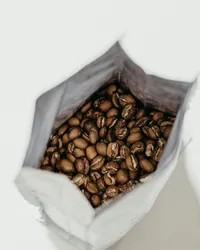 Medium roast 250 g฿320
Add Tellsell as a friend, once
Sign up at app.tellsell.app with your LINE account, name your shop, then add Tellsell as a friend in LINE. Your shop is linked to the chat straight away. You do not need your own LINE Official Account.
- Your shop is ready at yourshop.tellsell.app
- Set PromptPay and delivery on the web dashboard
- Start free, no card needed
Message by message, in LINE
- 1
Send a photo, then the name and price
Take a photo of the product and send it in the chat. Type or record the name and price.
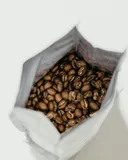 0:06
0:06 - 2
AI writes the listing
Tellsell shows what it heard in your voice note, then sends a preview with the name, description and category.
🎤 Medium roast beans, 250 gram bag, 320 baht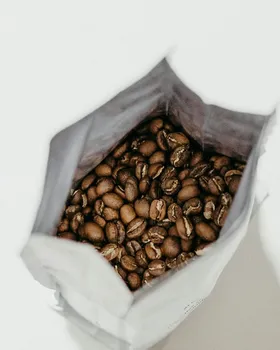 Medium roast beans 250 g฿320Medium roast coffee beans in a 250 g bag, made for brewing at home every morning.PublishEdit
 - 3
Adjust it with a message
Say what to change, like "shorter" or "put it under coffee beans". However many changes you make, it stays one draft.
Shorter pleaseMedium roast beans 250 g฿320Medium roast beans in a 250 g bag.PublishEdit - 4
Tap Publish
Happy with it? Tap Publish. The product is live at once, with a readable link to share with buyers.
Published ✓ baanbean.tellsell.app/p/medium-roast-beans - 5
Buyers order and pay by PromptPay
A buyer opens the link, adds to cart, fills in their name and address and scans a QR with the amount filled in. Then they upload the transfer slip.
PromptPay฿320Amount filled in - 6
The order arrives, you tap Paid
Every order and slip comes by email, and pops up in LINE by plan. Check the money in your bank app and tap "Paid". The buyer's order status page updates at once.
New order · slip attachedMedium roast beans 250 g × 1 · ฿320
Nothing goes live until you tap Publish
AI always drafts; you decide. Every step above shows you a preview first. If you spot a mistake after publishing, tap Undo in the menu.
Questions
Do I need professional photos?
No. Phone photos are fine. If a photo is very dark or blurry, AI says so in the preview, and you choose whether to send a new one or keep it.
How many photos can a product have?
Up to 10. Send several at once and Tellsell waits for the whole set, then makes one product.
What if I forget the price?
AI asks one question, such as "What price?". A short answer is enough to carry on.
Where does the buyer's money go?
Straight to your shop's PromptPay account. Tellsell never holds your money.
Read next
Your shop, ready to sell in minutes
Open a free shop. Run it from the LINE you already use, with a web dashboard too.