
Options and sizes
When a product comes in several versions at the same price, such as a T-shirt in S / M / L or a mug in several colours, add them as options instead of creating several products. Buyers pick one option before adding to cart.
How options work
Section titled “How options work”- A product has one option group, such as size, colour, scent or flavour.
- Every option has the same price: the product’s price.
- Buyers must choose one option before adding to cart.
- A sold-out option can’t be chosen on the product page; the other options keep selling.
- If you don’t name the group, the shop calls it “ตัวเลือก” (Option).
Add a product with options
Section titled “Add a product with options”List all options in the same message as the name and price. The preview shows a line with the group name and every option, such as Colour: Blue, Pink, Green, Orange, Purple.
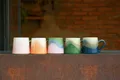
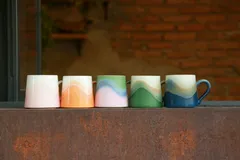
More examples:
| You type | Options you get |
|---|---|
cat t-shirt 290 sizes S M L XL |
Size: S, M, L, XL |
scented candle 250 lavender, jasmine, lemongrass |
Scent: Lavender, Jasmine, Lemongrass |
nail polish 120 red, pink, nude |
Colour: Red, Pink, Nude |
Stock per option
Section titled “Stock per option”When a product has options, stock is counted per option. You can give it when you add the product.
Options without a count sell without a limit until you mark them sold out. See Stock and sold out.
Change options later
Section titled “Change options later”-
Tap Edit product in the menu and pick the product (or just type it, such as “cat t-shirt, add size XL”).
-
Type the change, such as
add size XLorremove purple. -
Check the options line in the preview lists every option you want, then tap Publish.
- An option that keeps its name keeps its stock count, and buyers’ carts that already hold it keep working.
- Options missing from the new list are removed.
- Changing options counts as editing the product: one update when you publish.
An option sold out, or back
Section titled “An option sold out, or back”Name the product and the option, such as cat t-shirt XL sold out or blue mug back in stock. The other options keep selling. Sold out and back in stock never count as updates.
If you name an option the product doesn’t have, the bot asks back, for example This product has no “XL” option (it has S, M, L).
What options can’t do yet
Section titled “What options can’t do yet”| You want | Do this instead |
|---|---|
| A different price per option, such as a larger size costing more | Separate products, such as “Iced latte, small” and “Iced latte, large” |
| Two option groups, such as size × colour | A product per colour, with sizes as its options |
| A photo for each option | Put all photos on the one product (up to 10), or make separate products |